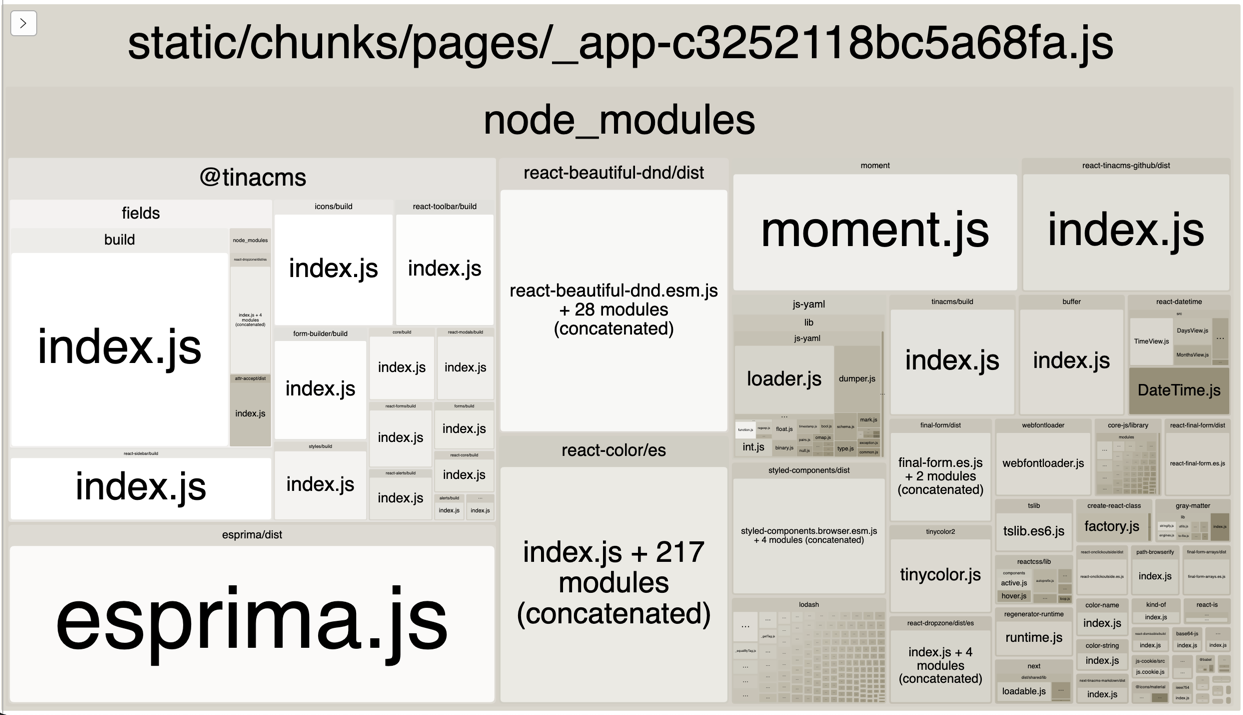
I found in the bundle analysis that I was loading the CMS editor components into the _app chunk unnecessarily. I have been able to remove a lot of the JavaScript used but not all. Still, this has made a big impact to the chunk size as well as the performance scores.
The key ingredient to these changes has been using the next/dynamic util. The hardest part of this work has been to work out what functionality was needed to render the page outside of “editing” mode and secondly how best to use import to only include the functionality I am using.
The Lighthouse report says that the page is only using 1/3 of the JavaScript within the main _app file. Before I start making assumptions about what components or features need to be lazy loaded from the main app I need to do some analysis on the bundle.
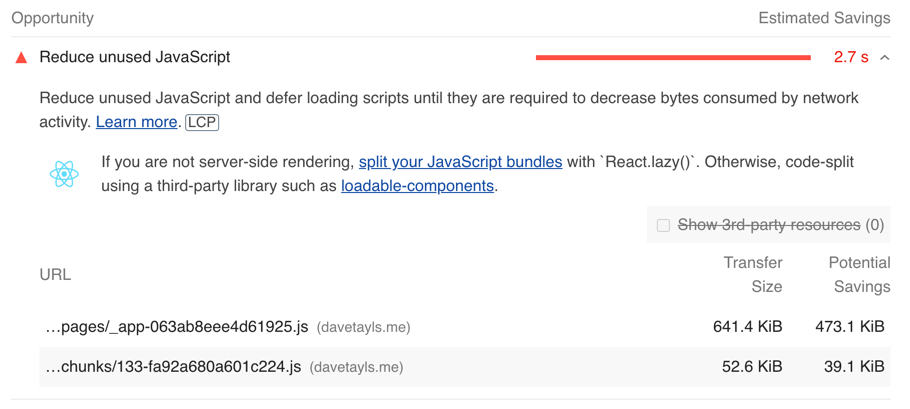
Let’s remind ourselves of the previous report after I removed Youtube.
Webpack had a bundle analyzer which I have used many times to inspect what has been compiled into one of the JavaScript files. After a quick search I found that there is a NextJs plugin which integrates it into next build. The plugin is @next/bundle-analyzer and I configured it within next.config.js.
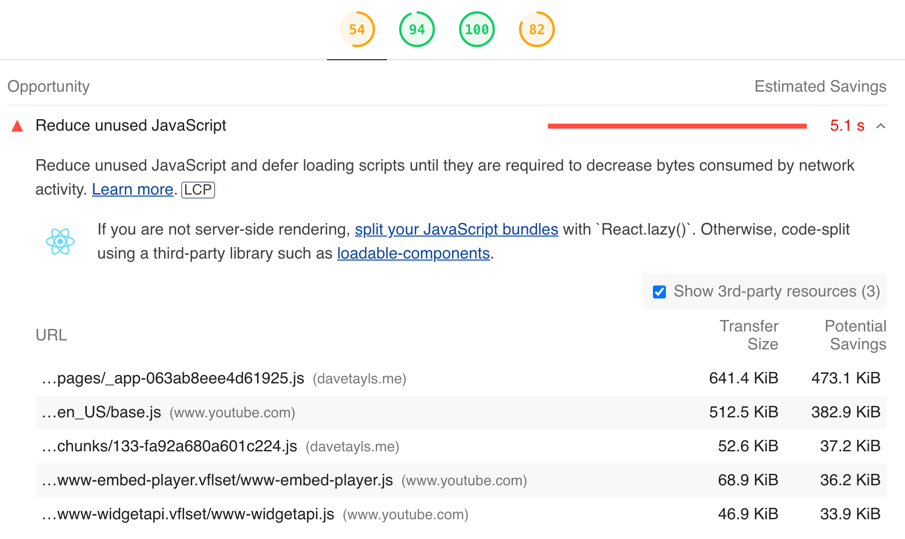
Looking at the lighthouse report it shows that there is a lot of unused JavaScript on the homepage. A large proportion of this is coming from YouTube because I have a video embedded and then it also looks like I am only using 1/3 of the JavaScript in my application source code.
YouTube JavaScript
I am going to focus this morning on the unused YouTube JavaScript sitting in the page. This is being loaded even when someone isn’t interacting with the video.
How do you implement some UI state which
can be changed from different parts of your React application?
In this example I implement a menu which can be toggled using a central UI context. I’ve built it in such a way that a central Provider component controls how this context will be updated. By doing it this way you will keep your code easy to read and will reduce the complexity of any bugs you encounter in the future.
In this post I want to go beyond React and Redux and explore ways in which we can improve the readability of our code by creating a rich domain of types that describe the data better.
Using Type Aliases to Build a Rich Description of the Domain
The point of the rich domain is to enhance the underlying types in such a way that it adds further semantic meaning. Secondly to provide more certainty to what data is being passed around
Thanks to everyone who came to the Bath Digital Festival lunchtime events.
It was really nice to be given the opportunity to speak and then to be able
to talk with so many of you afterwards.
Here are the slides:
This is what I covered
What have we achieved at Seccl?
What are the pinch points?
Who is this for?
What is Serverless Framework
Infrastructure as code
Simplified deployment of separate functions
Provider agnostic
What have we achieved
Seccl is a startup in Bath pioneering a new breed
of digital services for wealth management
I’ve been looking at the possibilities of a simple middleware pipeline script. So far I’ve implemented a version of the Chain of Responsibility pattern. I’ve also been looking at using the same builder to work with promises. Here is what I’ve found.
Fetching some data from an API
So for this example I will define a few interfaces defining the data I am working with.
The context for each middleware function is going to be an object with a request and a response. This means that the middleware can work with either during each step.
Out of curiosity, I’ve been experimenting with what you can do with a simple and generic middleware builder. I’ve been surprised at how powerful it can be with such a small amount of code.
A simple but powerful function
I did a lot of reading, and gained a fair amount of inspiration from researching various implementations of the Chain of Responsibility pattern along with diving into the express.js and redux codebases.
It has essentially boiled down to using reduceRight on an array of functions. The following code has simplified types to make it easier to read but shows the concept.
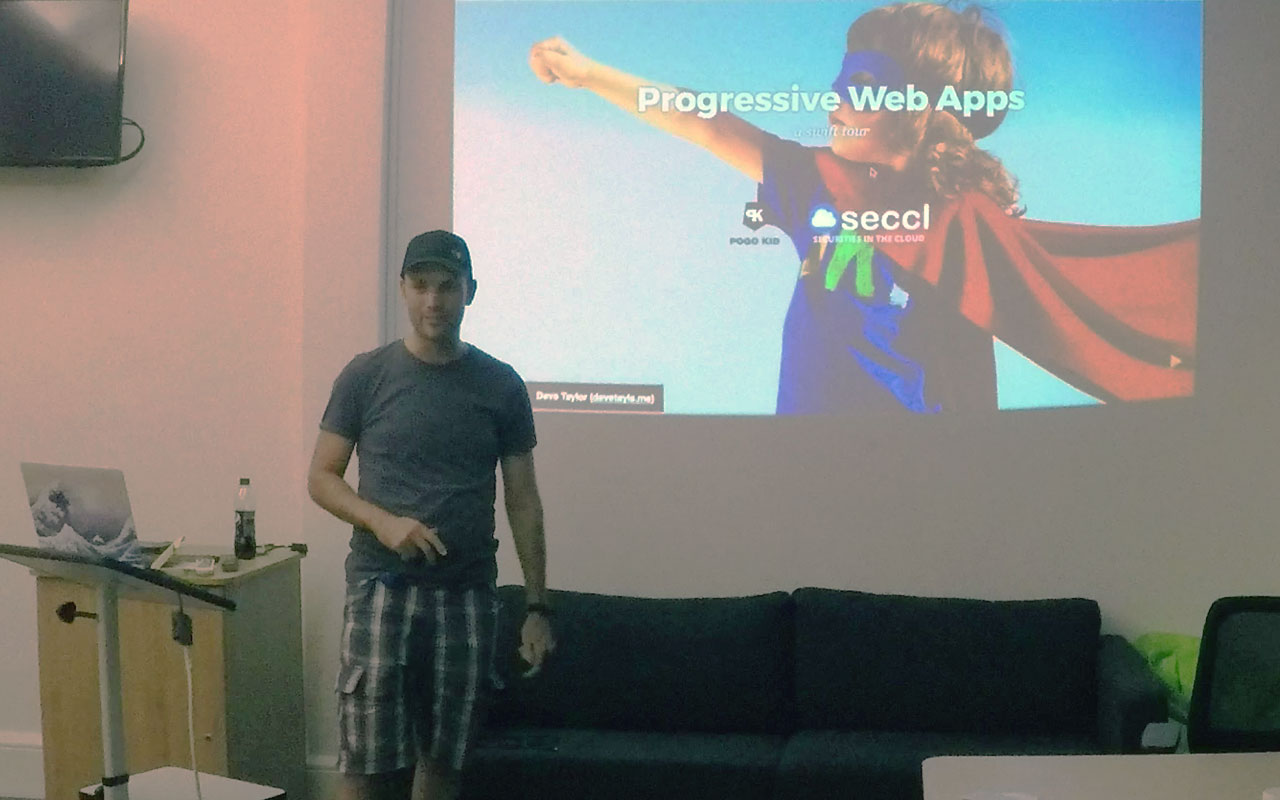
It was great to give a swift tour of Progressive Web Apps for the lovely people at BathCamp last thursday. Here are the slides and an outline of what we went through.
A few things have changed
We now know …
Most people only install apps when they buy their phone
Most people only use common apps and no other
The web platform has now got APIs for previously native-only features
Let’s consider a few situations
The train journey
Content doesn’t know about network service
Speed
Intermittent
Offline
I use this every day
Home screen visibility and easy access is important
 Dave Taylor - Software Engineer