I found in the bundle analysis that I was loading the CMS editor components into the _app chunk unnecessarily. I have been able to remove a lot of the JavaScript used but not all. Still, this has made a big impact to the chunk size as well as the performance scores.
The key ingredient to these changes has been using the next/dynamic util. The hardest part of this work has been to work out what functionality was needed to render the page outside of “editing” mode and secondly how best to use import to only include the functionality I am using.
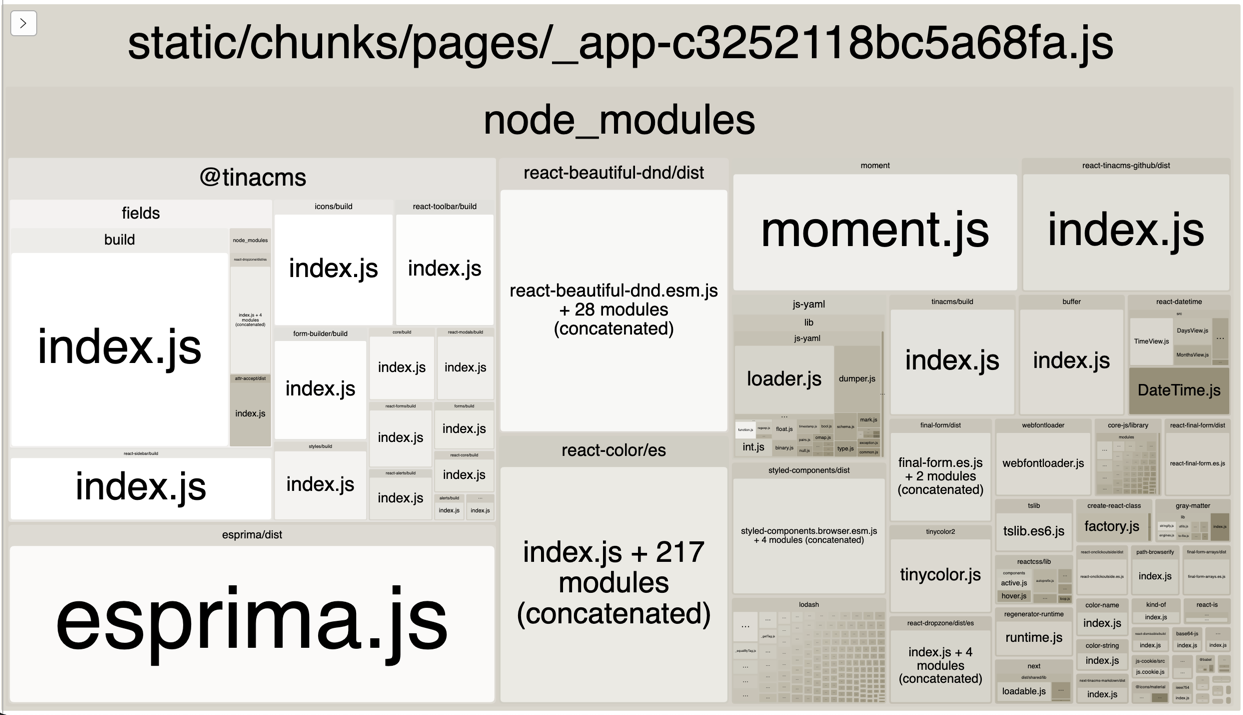
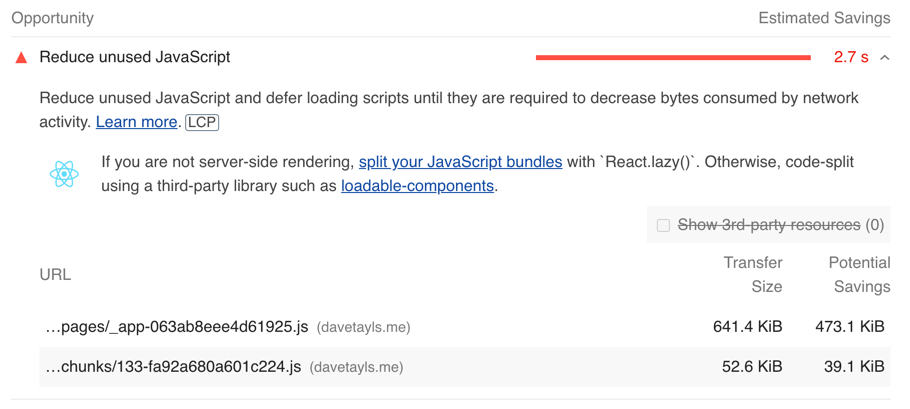
The Lighthouse report says that the page is only using 1/3 of the JavaScript within the main _app file. Before I start making assumptions about what components or features need to be lazy loaded from the main app I need to do some analysis on the bundle.
Let’s remind ourselves of the previous report after I removed Youtube.
Webpack had a bundle analyzer which I have used many times to inspect what has been compiled into one of the JavaScript files. After a quick search I found that there is a NextJs plugin which integrates it into next build. The plugin is @next/bundle-analyzer and I configured it within next.config.js.
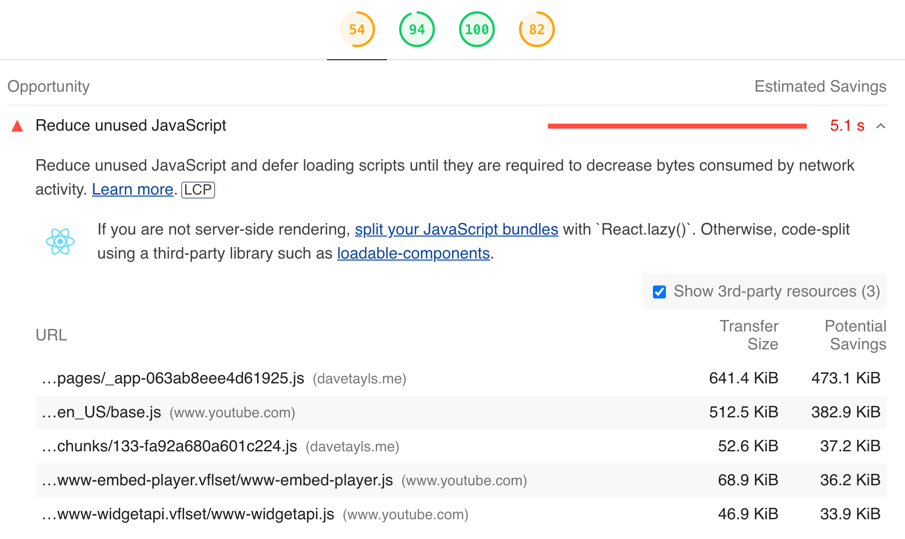
Looking at the lighthouse report it shows that there is a lot of unused JavaScript on the homepage. A large proportion of this is coming from YouTube because I have a video embedded and then it also looks like I am only using 1/3 of the JavaScript in my application source code.
YouTube JavaScript
I am going to focus this morning on the unused YouTube JavaScript sitting in the page. This is being loaded even when someone isn’t interacting with the video.
It’s time to do a review of my site performance. I’m taking a look through my lighthouse scores across the two key site sections. This will be the homepage and blog articles.
My scores have definitely slipped since I last checked so I thought this would be a good chance to write about the process of fixing and improving them. Let’s see how close to 100 across the board I can get.
As your application grows you will want to separate out JavaScript from your main bundle. You will arrive at a point where the majority of the JavaScript you are serving is not being used on any particular page your user is on.
In this video I walk through how you can structure your NextJs application code to dynamically split out JavaScript based on modules.
 Dave Taylor - Software Engineer