Last year I had the pleasure to work as a UI Lead for The BIO Agency and
Arrow Electronics. I joined the project a few months in to help the existing 8 Frontend developers
and fair few other team members across their disciplines with FE code architecture and in turn support Arrow’s growing team in Denver, Colorado.
We had a great relationship with the team at Arrow. I had never heard of them before, so it was interesting to hear that
many of the electronic products we use day to day have probably had parts supplied by them.
It was great to hear that the new responsive Econsultancy website
went live at the end of last year. I had a great time working with their
team who were all top technical and creative guys.
I particularly enjoyed their use of the Github workflow
which was great at ironing out issues and sharing the code knowledge.
The ui tech stack for this project included Sass with Inuit, Angular and we built
a lot of the initial mockups using the Assemble static site generator.
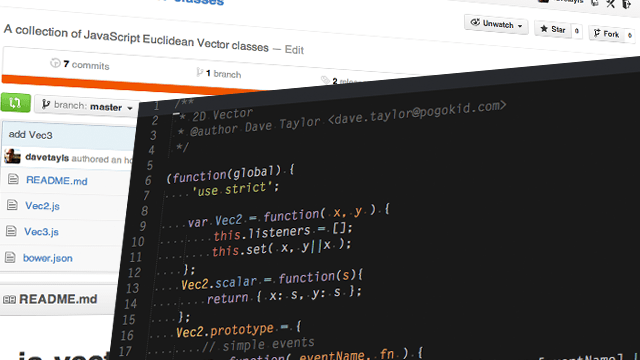
I have started a small collection of JavaScript Euclidean Vector
classes. These are
commonly used in creative programming. I wanted a quick way of adding
Vectors in to any project that may need them so they’re installable
from bower and have a basic set of methods available.
Set up
Currently there is 2 dimensional and 3 dimensional Vectors available.
Add references to the files to your project.
The RFU revisited the WE ARE campaign and brought a lighter face lift for the RBS 6 Nations in February last year.
Kinetic and our old Social Friends
This site featured the previous kinetic timeline surfacing a mash-up of content from within rfu.com (including articles and videos) along with content from their social streams on twitter and Facebook.
New Fixtures
It also included brand new fixtures tables showing a combination of old scores and up and coming games for the tournament.
I needed a way of applying velocity and drag to a new UI I am putting together, much like the one I built in to jQuery.kinetic.
So I have pulled it out in to a simple reusable object.
// create an instance
var v = new Velocitr();
// set starting point
v.move(30, true);
// move
v.move(50);
// get velocity
assert(v.velocity).equals(20);
// apply drag
v.drag = 0.9 // => default
v.decelerate()
assert(v.velocity).equals(18);
Chaining
var v = new Velocitr();
v.move(30, true)
 .move(60)
 .decelerate();
assert(v.velocity).equals(27);
Tests
It comes with a suite of tests which are written with the help of QUnit and Pavlov and can be found in the test/ folder.
I have just finished a project for Adam Ball who is an artist based in London. This has been a real challenge and has made me push boundaries in to new territory.
Responsive Design, Responsive Images
The main area has been with serving appropriate image sizes according to the device. I have previously talked about my responsive images jQuery plugin which is a good stop gap for getting this to work across the current browser landscape. I have liked working with responsive images in this way because it is a much more organic solution than the ones I have seen elsewhere. It’ll be great when we’ve got something natively to handle this sort of thing.
I’m often a bit of a purist, but as I age, I’m realising more and more the history of the web, much like most other histories is a pretty messy pit of layers laid on top of layers. After reading this revolutionary email from the birth of the img tag, I’m reminded we’re just working on the next layer so it’s probably going to be messy ;).
I have been reading this evening over people’s thoughts about how we tackle responsible responsive images and there seems to be no perfect method. In fact many of the methods currently being seen have major gotchas. It just feels like we are far from getting a stable way of providing responsive images using the img tag.
I have just created a simple jQuery plugin to add the opposite functionality to the jQuery.param function. It will turn a set of url parameters back in to an object. Here’s the usage at the moment.
 1
 2
 3
 4
 5
 6
 7
 8
 9
10
11
12
13
14
it("should get basic query string vars from full url",function(){expect(jQuery.unparam('https://davetayls.me/?foo=one&bar=two')).toEqual({foo:"one",bar:"two"});});it("should get basic query string vars from just query params",function(){expect(jQuery.unparam('foo=one&bar=two')).toEqual({foo:"one",bar:"two"});});
I have released another jQuery plugin which gives you drag and throw functionality inside an scrollable container just like you expect on touch devices. This has the added bonus of allowing this sort of interactivity within an overflow whithin safari on iPad and iPhone.
This is still a work in progress, It only scrolls horizontally at the moment. Please let me know of any issues you might find. You can log them on github
 Dave Taylor - Software Engineer